LAPPYPULSE / WINDOWS → ANDROID · PERSONAL UTILITY
LappyPulse
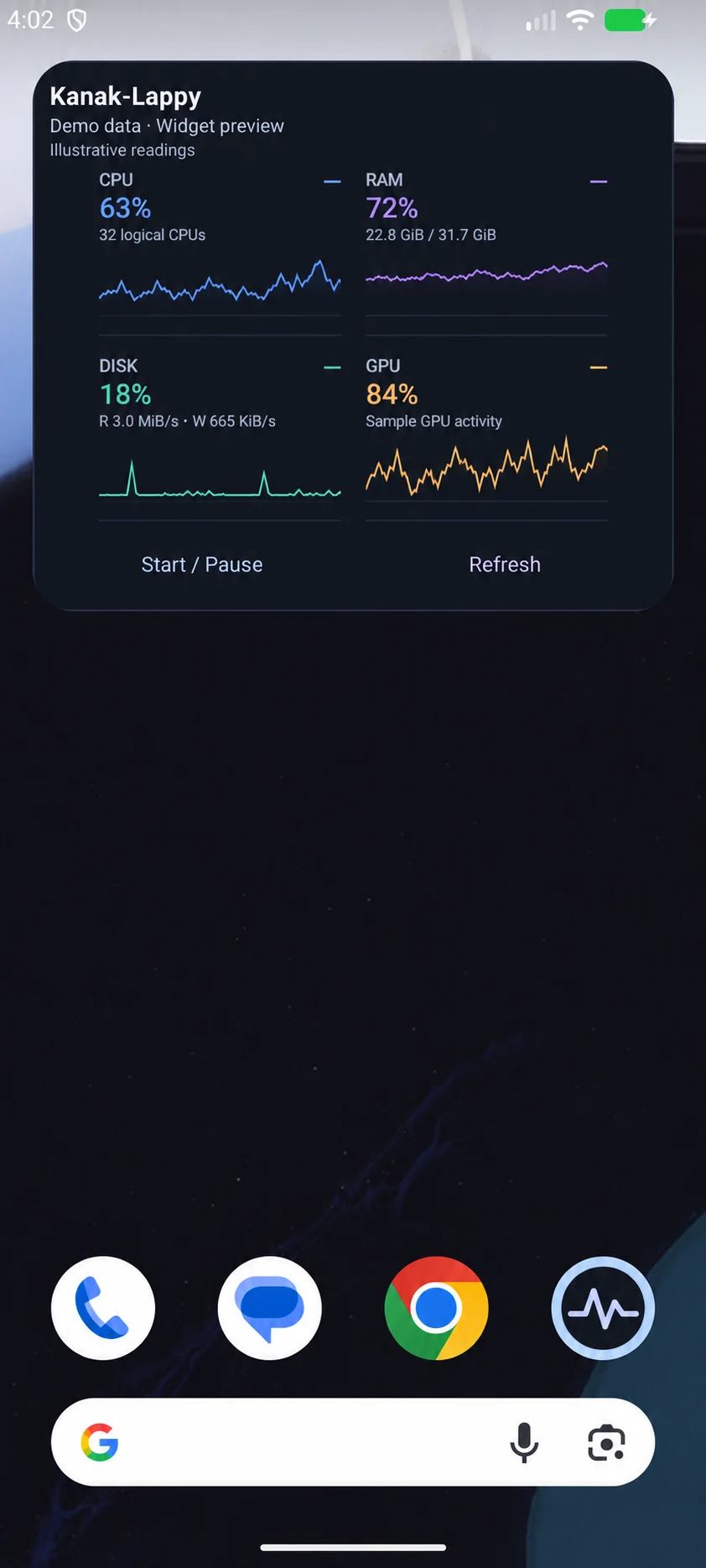
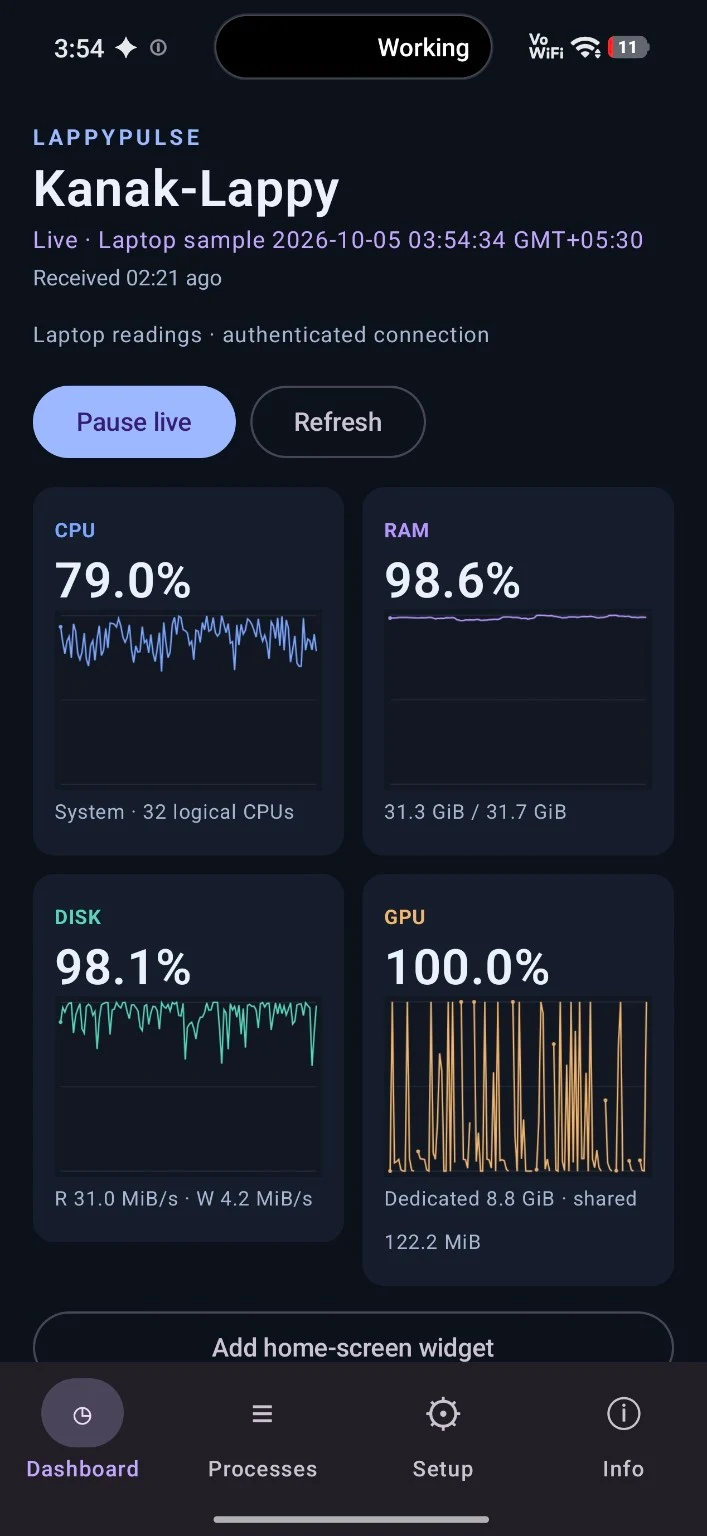
I wanted to check on a long-running task without going back to my desk. LappyPulse sends laptop readings to an Android dashboard and home-screen widget, with timestamps that show how recent each reading is.
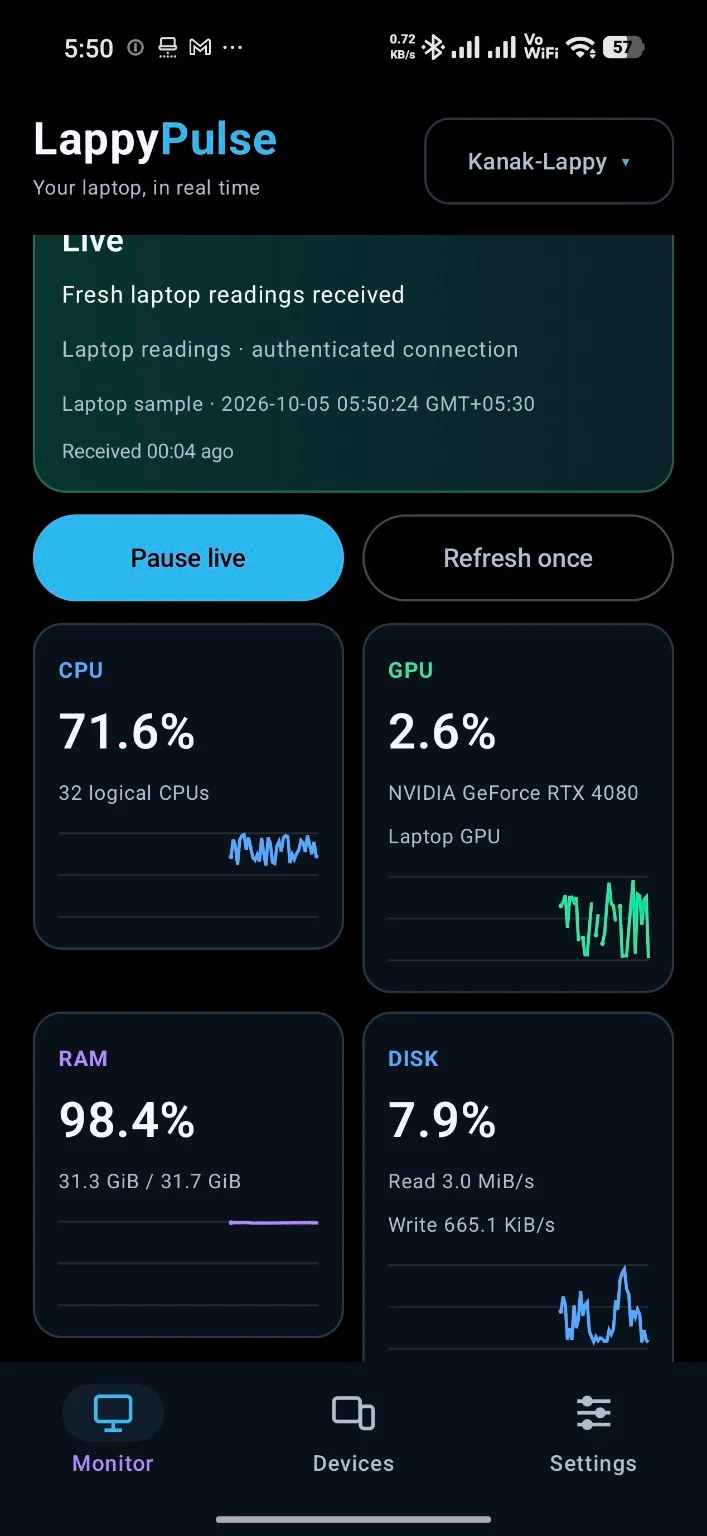
I wanted to check on my laptop while I was away from my desk.
I run local agents and language models on my laptop, then step away while they keep working. I wanted to know what the machine was doing without returning to the desk or opening a remote desktop. Thermals were part of that worry. I started with CPU, GPU, memory and disk readings on my phone.
The phone shows what the laptop is doing and how old the reading is.
The Android dashboard and home-screen widget receive Windows readings. The screen distinguishes fresh, stale, warming, unsupported and unavailable values, and the process list shows which programs are using resources when that view is open.
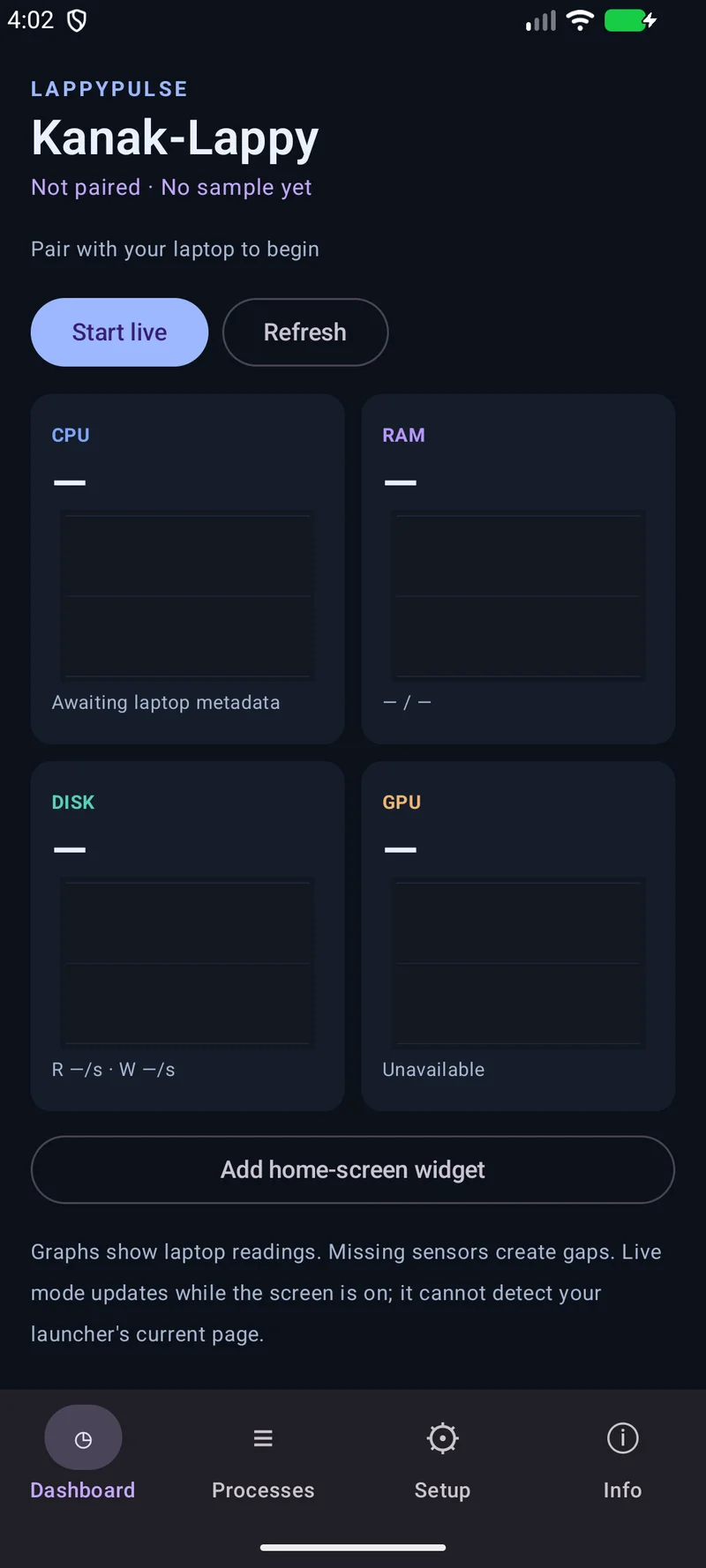
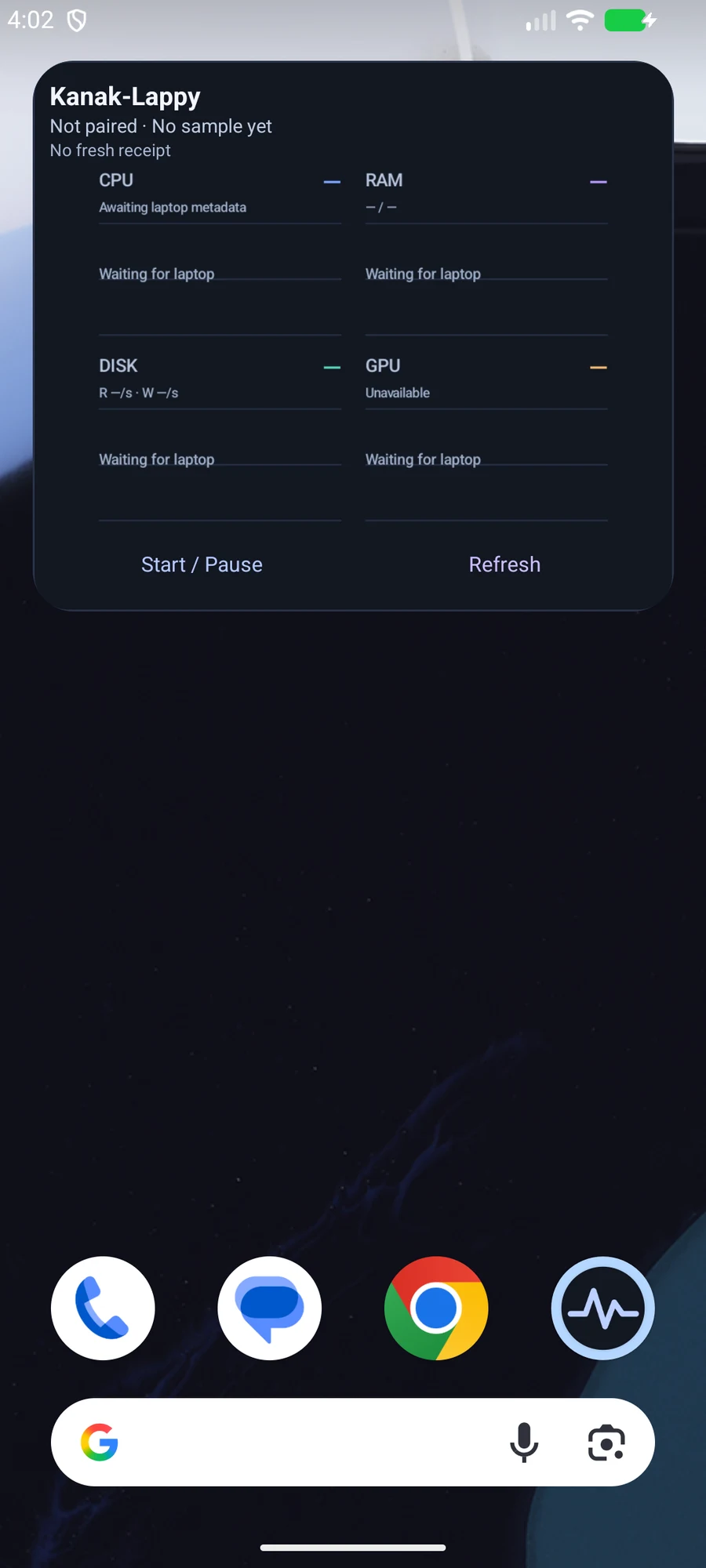
I made missing readings look different from a quiet laptop.
I designed the monitor around the age and state of a reading, so an old value does not look live. The dashboard and widget distinguish a real zero from missing or warming-up data.
A missing reading must never look like zero.
Zero usage, a sensor that is still warming up and a broken connection mean different things. I keep those states separate.
The widget shows when the last reading was taken.
The last reading can outlive the app process that collected it. Its timestamp lets me judge it when I glance at the home screen, instead of mistaking a saved value for live activity.
The monitor asks for process details only while I am viewing them.
The dashboard and widget share one connection. Process details are requested while their screen is open, and the socket closes when the screen is off. The monitor should not create unnecessary work for the machine I’m trying to watch.
IN PRACTICE
Where you can use it and how I built it.
Where it can help
- Glance at laptop resource use while a local agent keeps working.
- Check which process is using resources without a remote desktop.
- Judge whether the widget’s saved reading is recent enough to be useful.
Built with
 Go
 Kotlin
 Jetpack Compose
 Cloudflare
 TypeScript
- Go / Windows
- Portable collector for laptop measurements.
- Kotlin / Compose
- Android dashboard, charts and process view.
- Android RemoteViews
- Home-screen widget using the shared session.
- Cloudflare Worker / Durable Object
- TypeScript relay over outbound HTTPS and WSS.
TLS protects each connection, but ends at the relay, which can read transit telemetry. This is not end-to-end encryption and there is no cloud history.