Tetr Compass · Product decisions
Getting in was only
the beginning.
The deposit was paid. The student still had documents, funding and a move to organise.
I was doing that follow-up work at Tetr. Students needed to know what to do next; counsellors needed to see what was holding them up. I built Compass around those two needs.
I shaped the workflows and screens, integrated the retrieval work, and used Codex to help develop and test the software.
- Review version built in
- 2 weeks
- Journey organised into
- 5 stages
- Views for different roles
- 4 roles
- Records used for retrieval
- 2,000+
01 / What feedback changed
The student shouldn’t have to decode our process.
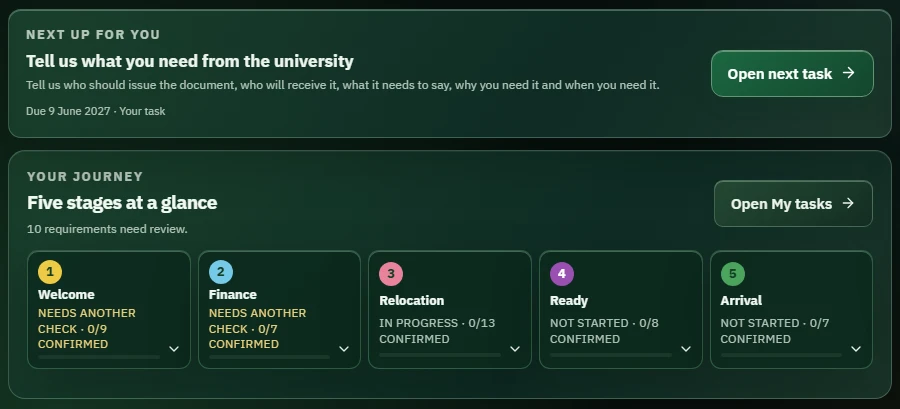
The early screen was crowded. Feedback called out ownership and verification labels that meant more to the team than to a student.
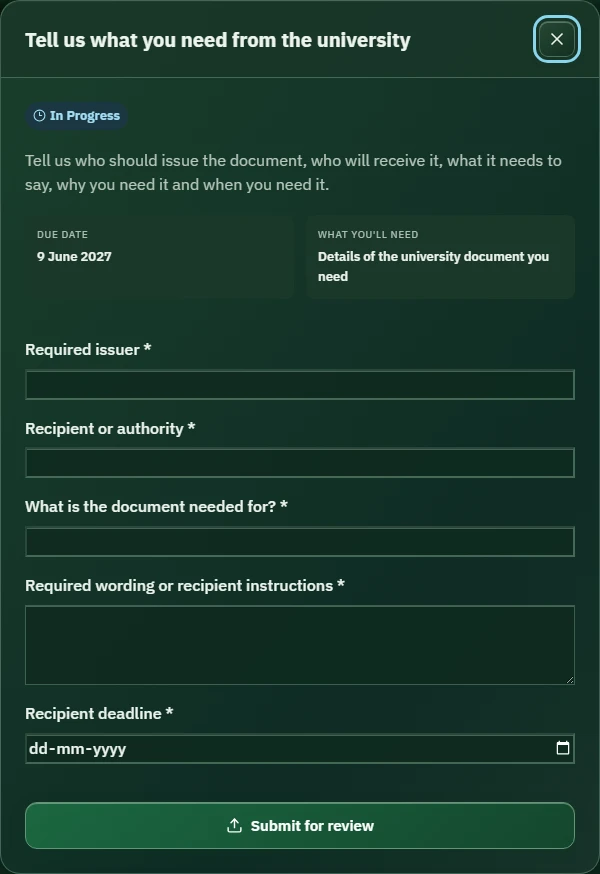
I kept the five-stage journey, but gave the next task its own space and plain instructions. Staff still had the detail they needed. The student view had one clear place to start.
Look inside the task form
02 / Where responsibility changes hands
“I’ve sent it” and “it’s checked” are different things.
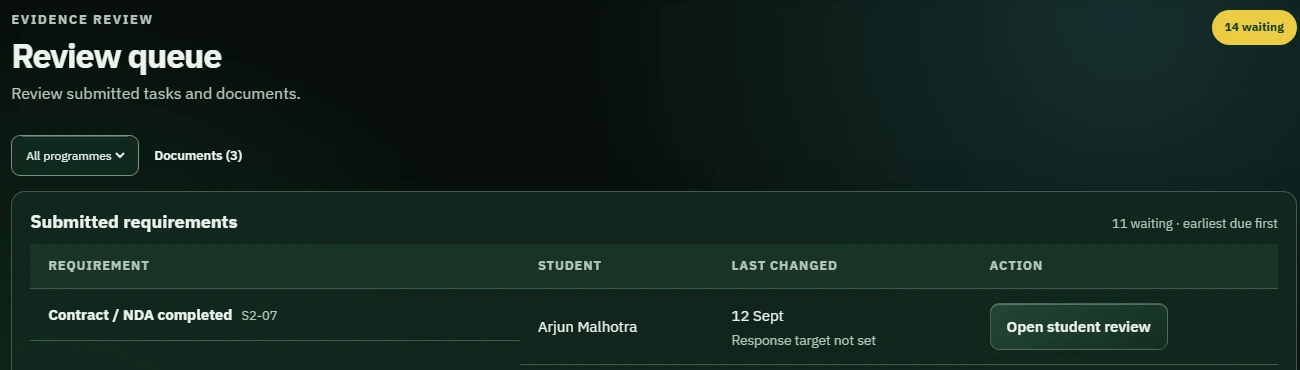
A student could finish their part while a counsellor still had work to do. I kept submission and approval separate, so the screen wouldn’t suggest everything was settled too early.
Submitted items went into a staff review queue. The student saw “In review” until the team checked the item or asked for more information.

In review The team now has something to check.
03 / When the standard journey doesn’t fit
An exception needed a reason and a record.
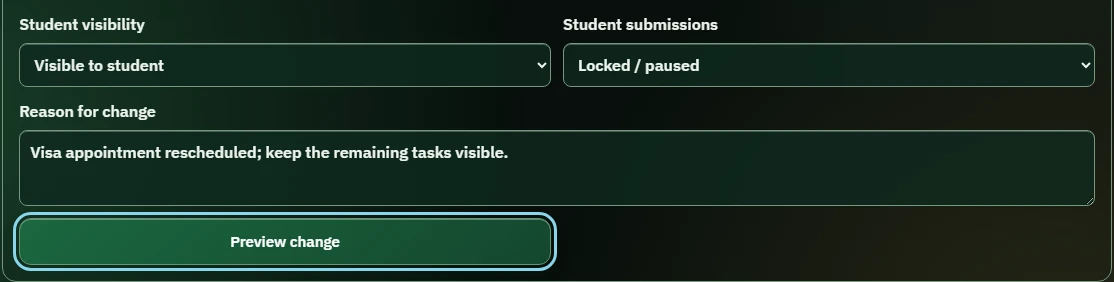
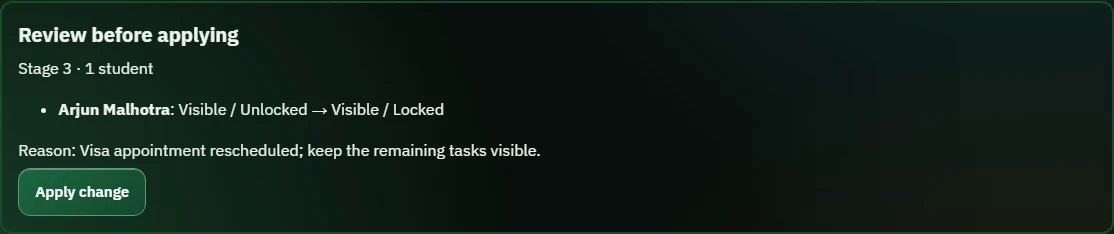
Compass allowed staff to pause or hide work for a student or selected group. I built a way to do that without losing track of what changed.
Staff choose the student and task or stage, give a reason, then preview the change. Applying it records the previous state, the new state and who changed it. Counsellors are limited to their assigned students; administrators can handle group changes.
The information behind a follow-up
AI brought the context together.
The counsellor chose what to do.
Useful context was spread across transcripts, emails, documents and student records. I integrated a Python and LangChain retrieval pipeline into Compass across 2,000+ source records, bringing relevant material into a summary for the counsellor.
The counsellor reviewed that context and decided whether to ask a question, speak to the student or involve someone else. I kept that judgement with the person responsible for the follow-up.
05 / Financial operations & integrations
Payment reconciliation
at Tetr.
I worked on automating payment reconciliation at Tetr, including Google Apps Script, shared-mailbox receipts and domestic and international transfer tracking. I also worked on Razorpay webhook integration involving Dinero and Compass.
Finance and Admissions needed to know whether a fee had been received, which student it belonged to and what was still due.
This is my account of the work, supported by my résumé. The demo below is newly built and uses fictional data. It does not show Tetr’s original payment screens or verify the original integration code.
My work at TetrReported work. No measured time or revenue gains are claimed.
Interactive reconstructionNew code, fictional people and original interfaces.
Future designEnterprise payroll and ERP ideas, presented separately.
The problem
Receipts and payment updates were spread across tools.
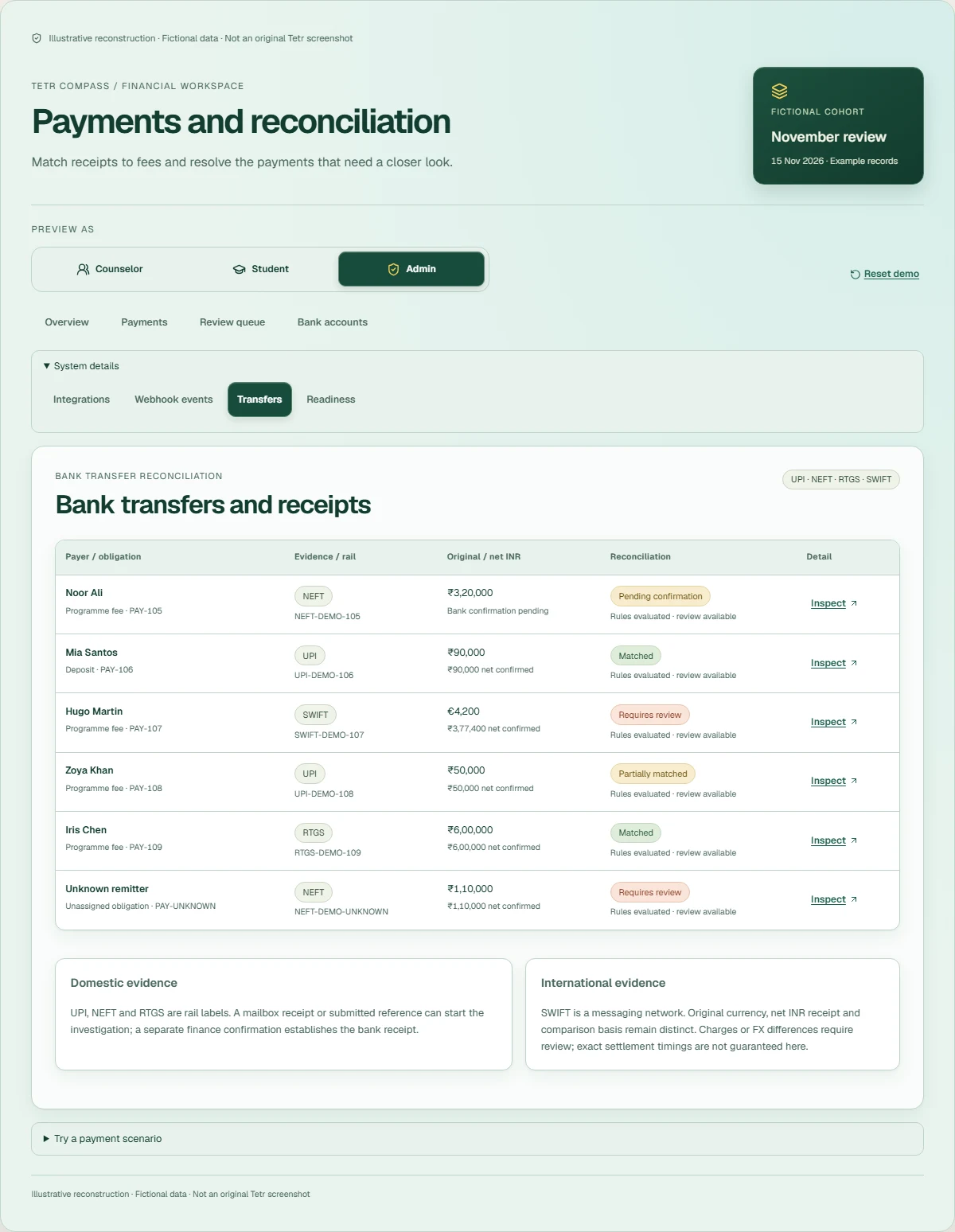
A gateway transaction, an emailed receipt, a domestic bank reference and an international remittance each needed a different check. A submitted receipt can still need bank confirmation. A confirmed transfer can still have an unidentified payer or a mismatch.
The team needed enough detail to follow up with the right student: the payment received, the amount still due and the person responsible for checking it.
My role
My work with Finance and Admissions.
I worked across product requirements, workflow design, AI-assisted tools, Apps Script automation and internal payment tracking, coordinating Finance, Admissions and Delivery. The Razorpay/Dinero work is my reported integration experience.
The demo below lets you try the payment and review steps. It does not reproduce Tetr’s original database, bank accounts or production controls.
Illustrative reconstruction · Fictional data · Not an original Tetr screenshot
Tetr Compass / Financial workspace
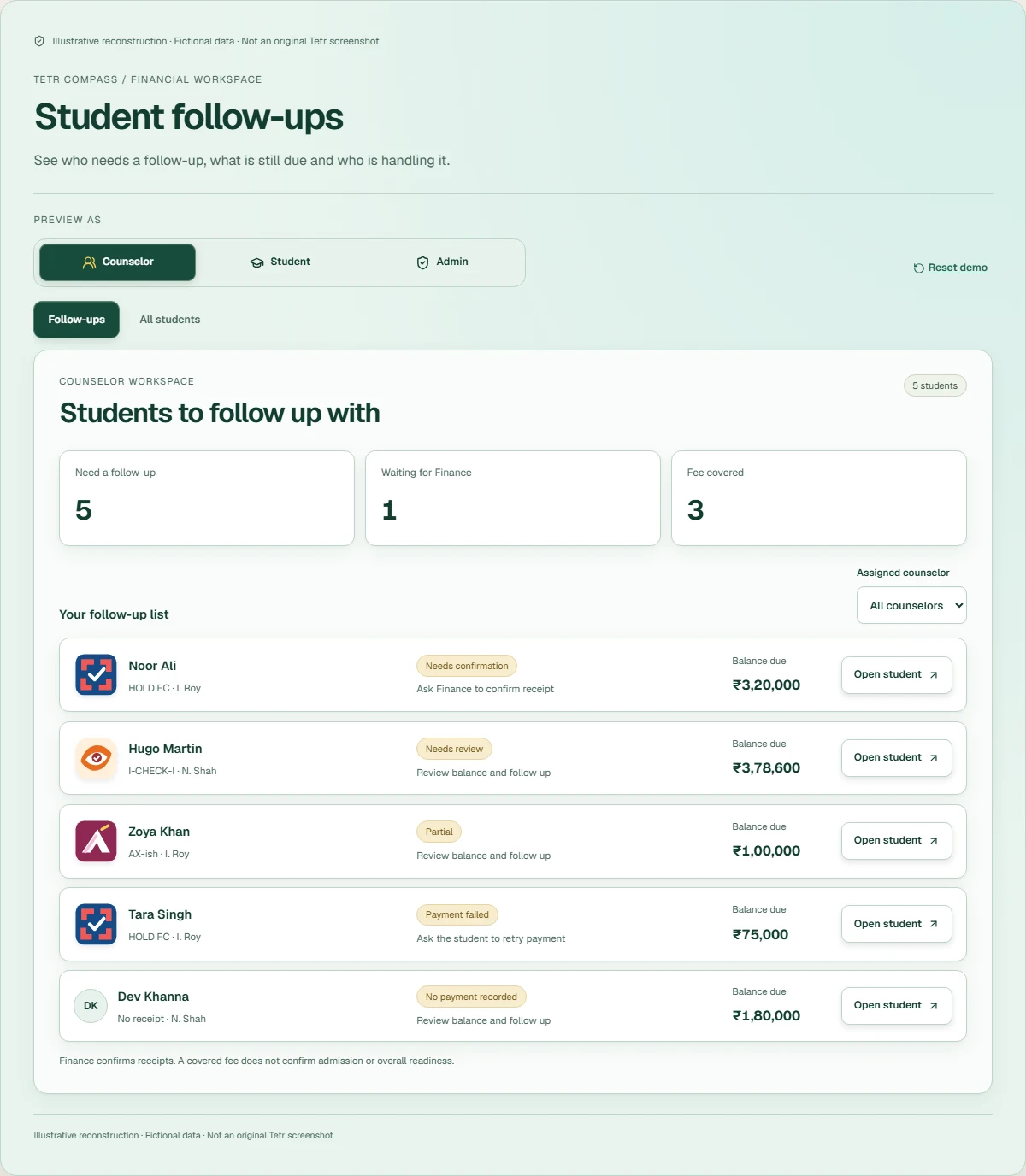
Student follow-ups
See who needs a follow-up, what is still due and who is handling it.
Counselor workspace
Students to follow up with
Your follow-up list
Noor Ali
HOLD FC · I. Roy
Needs confirmationAsk Finance to confirm receipt
Balance due₹3,20,000Hugo Martin
I-CHECK-I · N. Shah
Needs reviewReview balance and follow up
Balance due₹3,78,600Zoya Khan
AX-ish · I. Roy
PartialReview balance and follow up
Balance due₹1,00,000Tara Singh
HOLD FC · I. Roy
Payment failedAsk the student to retry payment
Balance due₹75,000Dev Khanna
No receipt · N. Shah
No payment recordedReview balance and follow up
Balance due₹1,80,000
Finance confirms receipts. A covered fee does not confirm admission or overall readiness.
Illustrative reconstruction · Fictional data · Not an original Tetr screenshot
Decision 01
A receipt could still need checking.
Keep submitted evidence, gateway processing, bank confirmation, internal receipt and obligation allocation distinct. A capture should not silently become settled money.
Decision 02
Keep the unpaid amount visible.
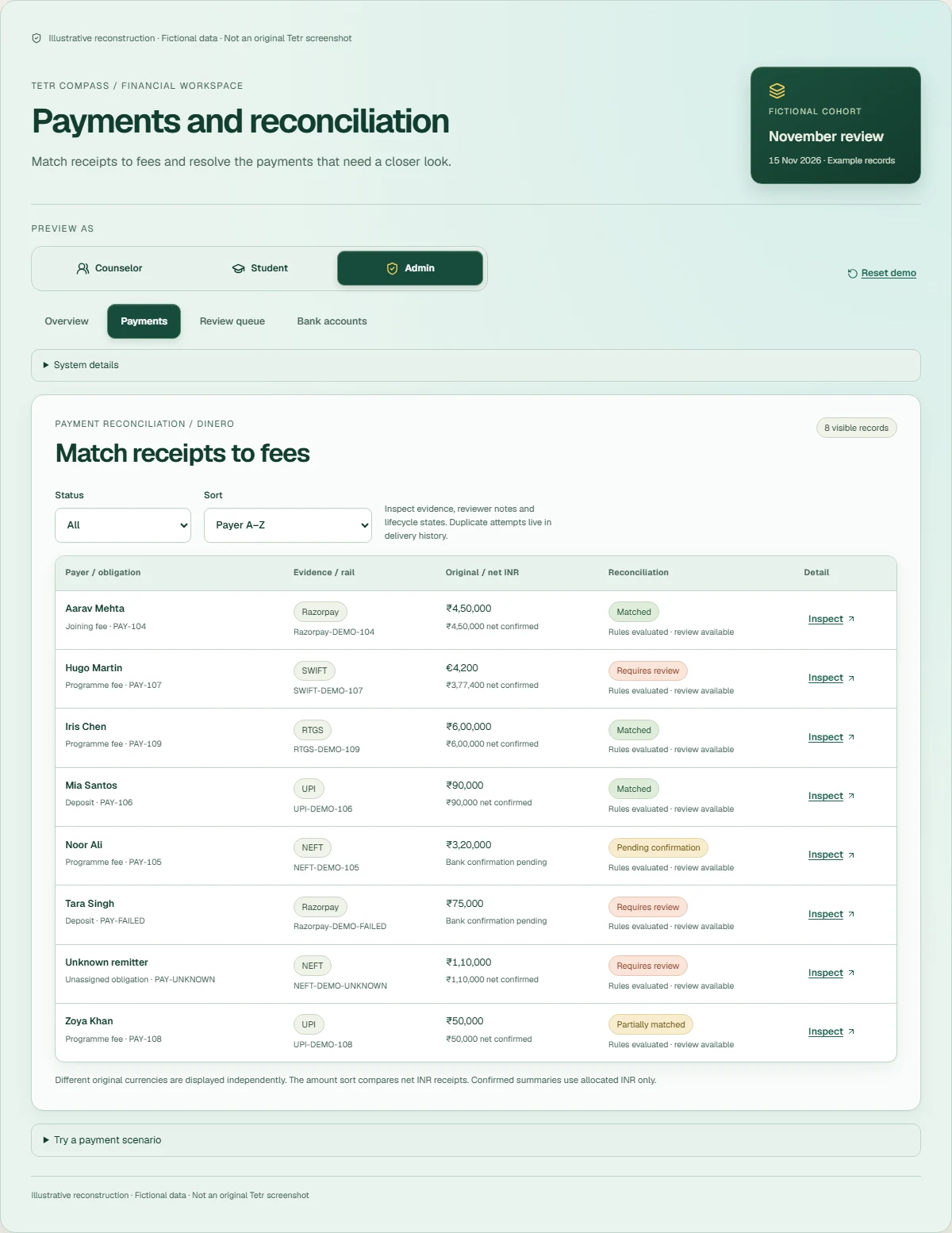
Show the sender, received amount, remaining balance and person handling the follow-up. Approving a short payment must not make the rest of the fee disappear.
Decision 03
Do not count a payment twice.
Use payment and event identities, preserve the original receipt after a refund, and keep replay safe. The reconstruction demonstrates those rules without connecting to a provider.
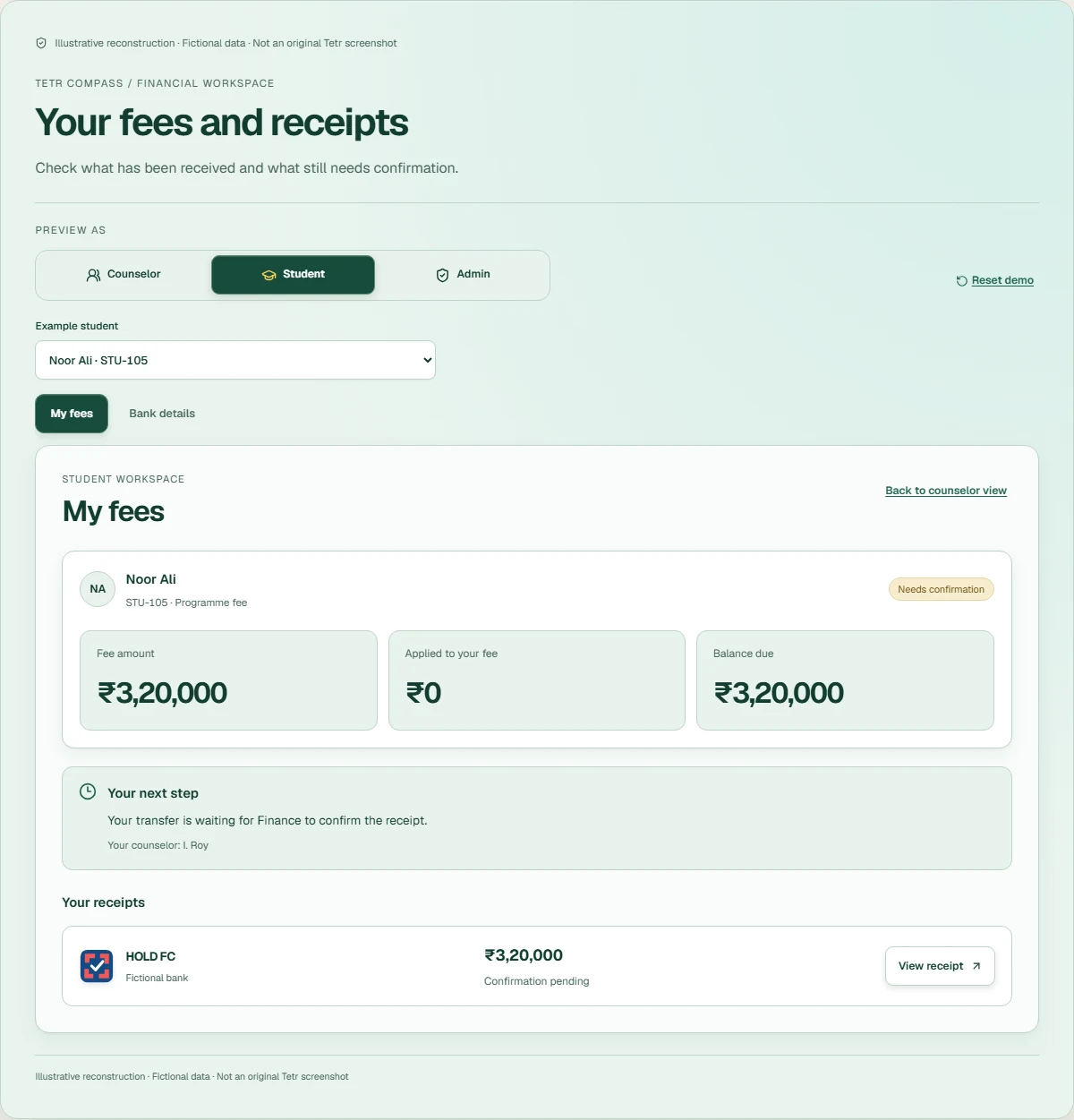
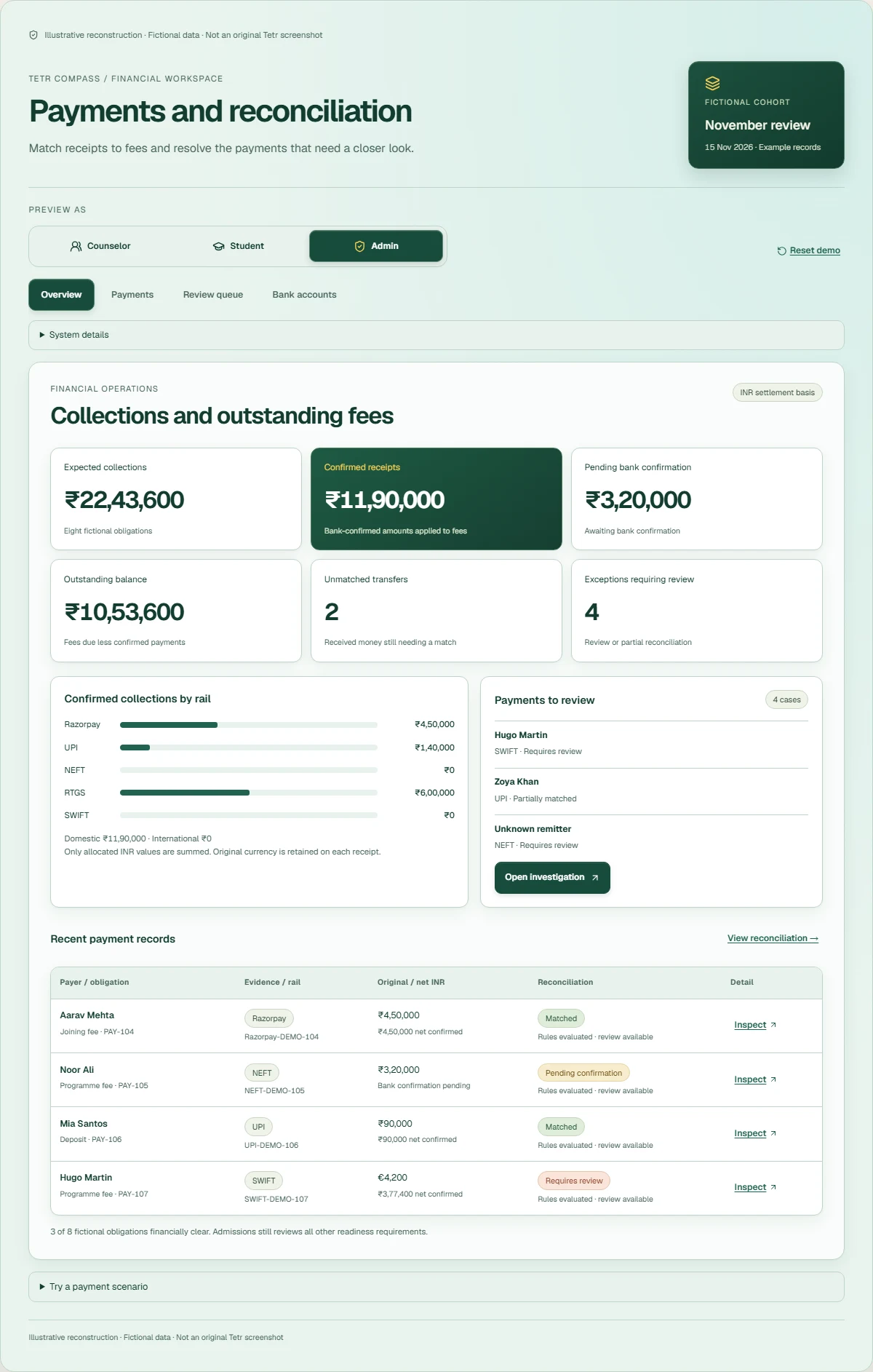
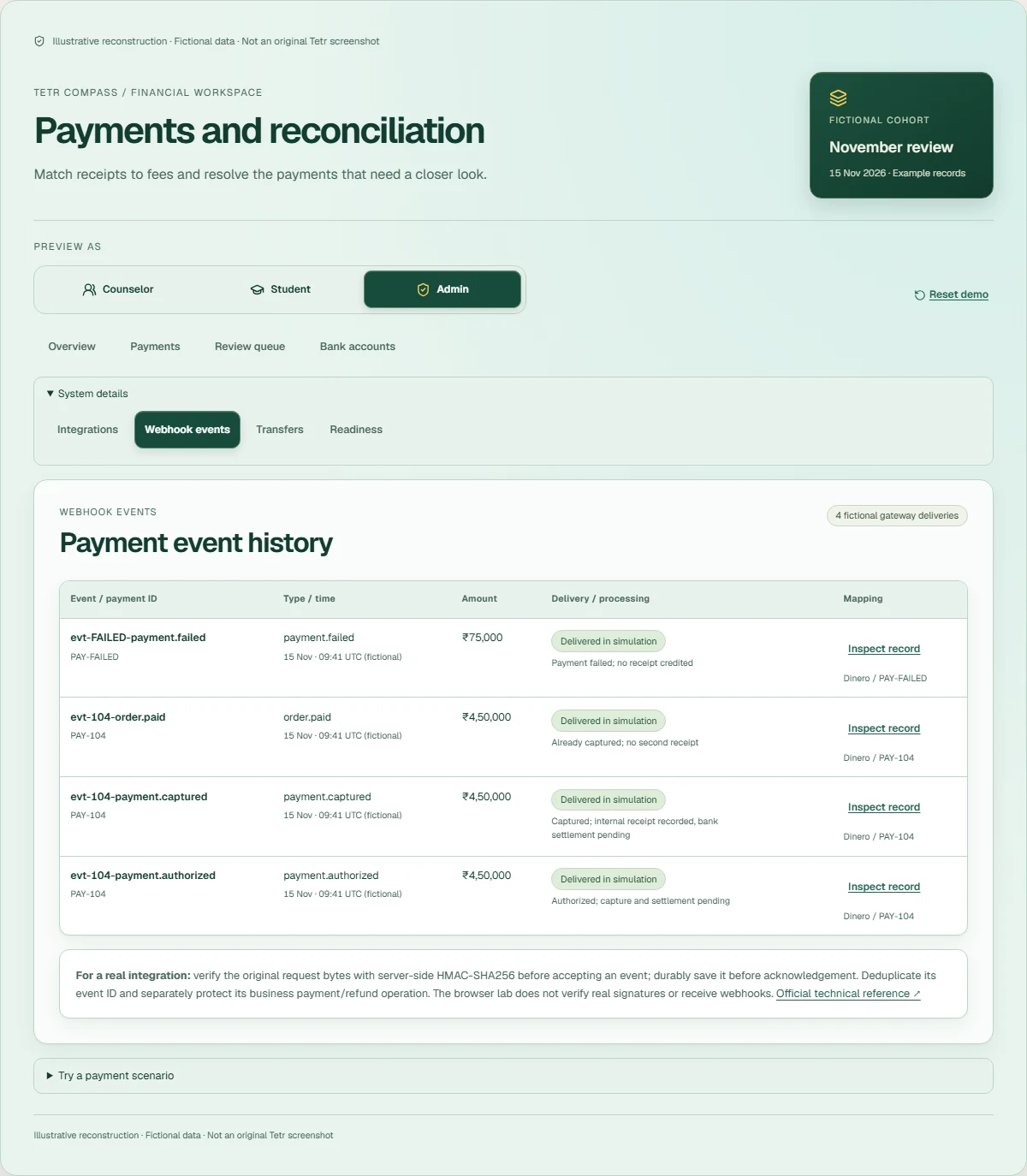
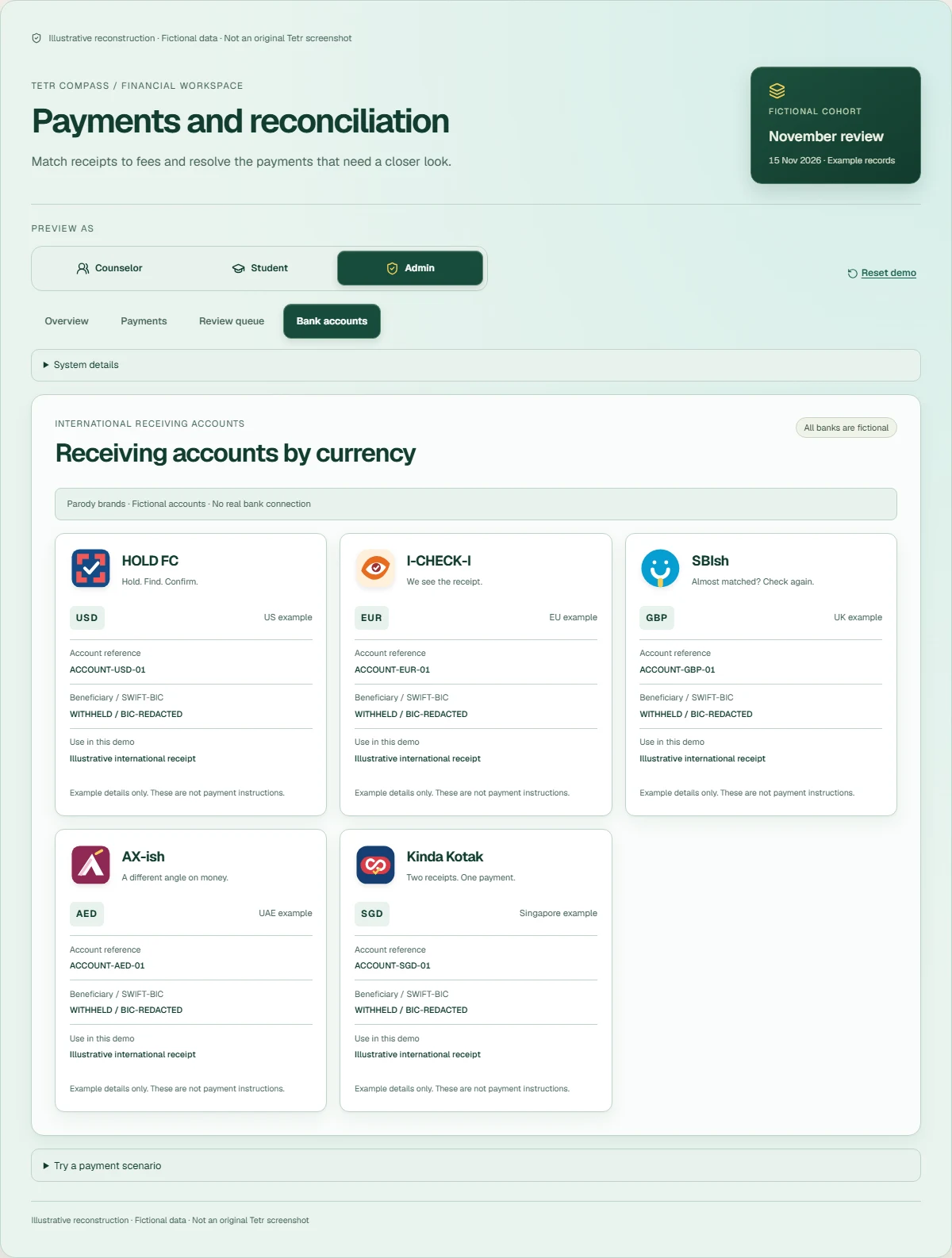
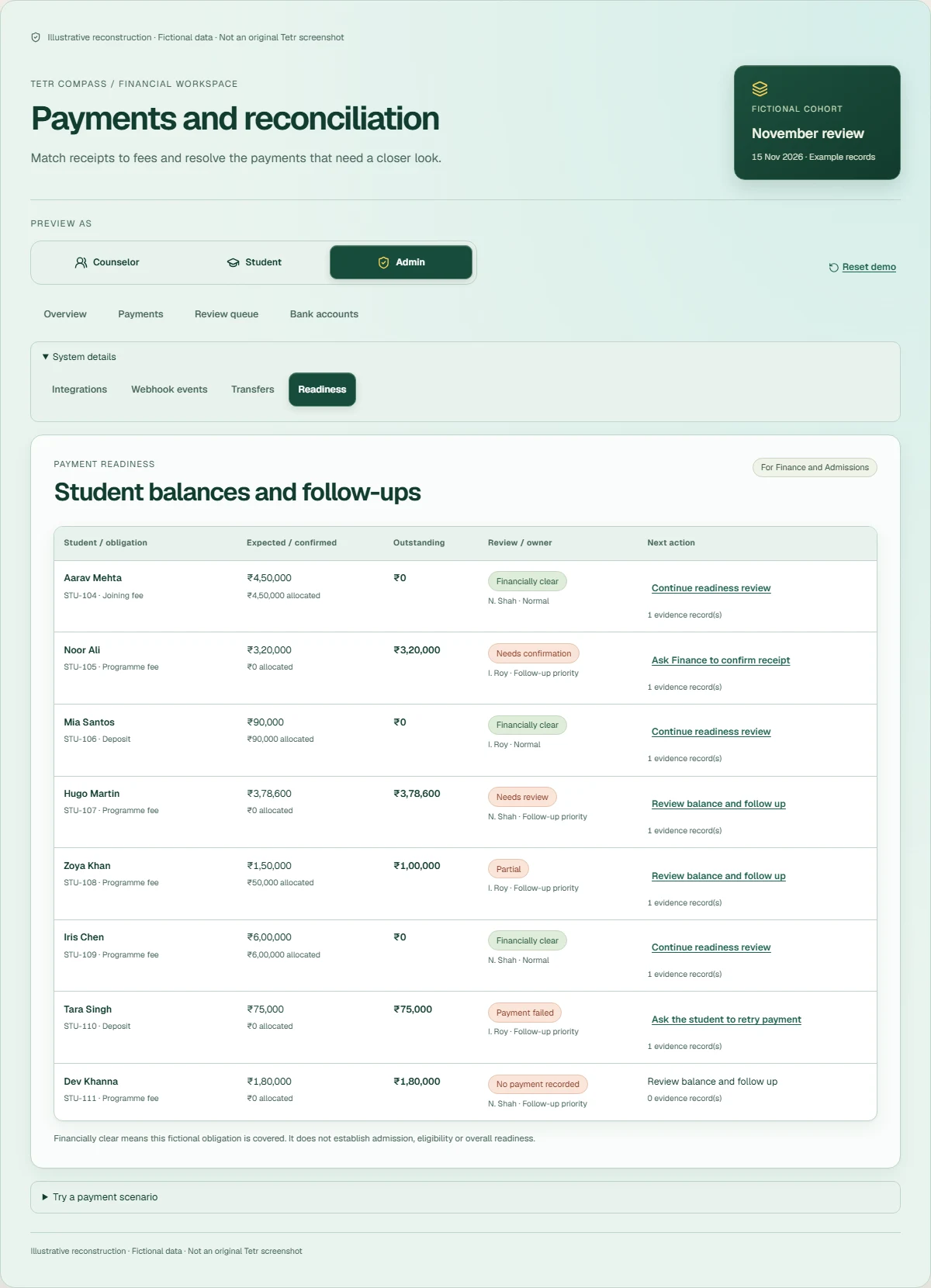
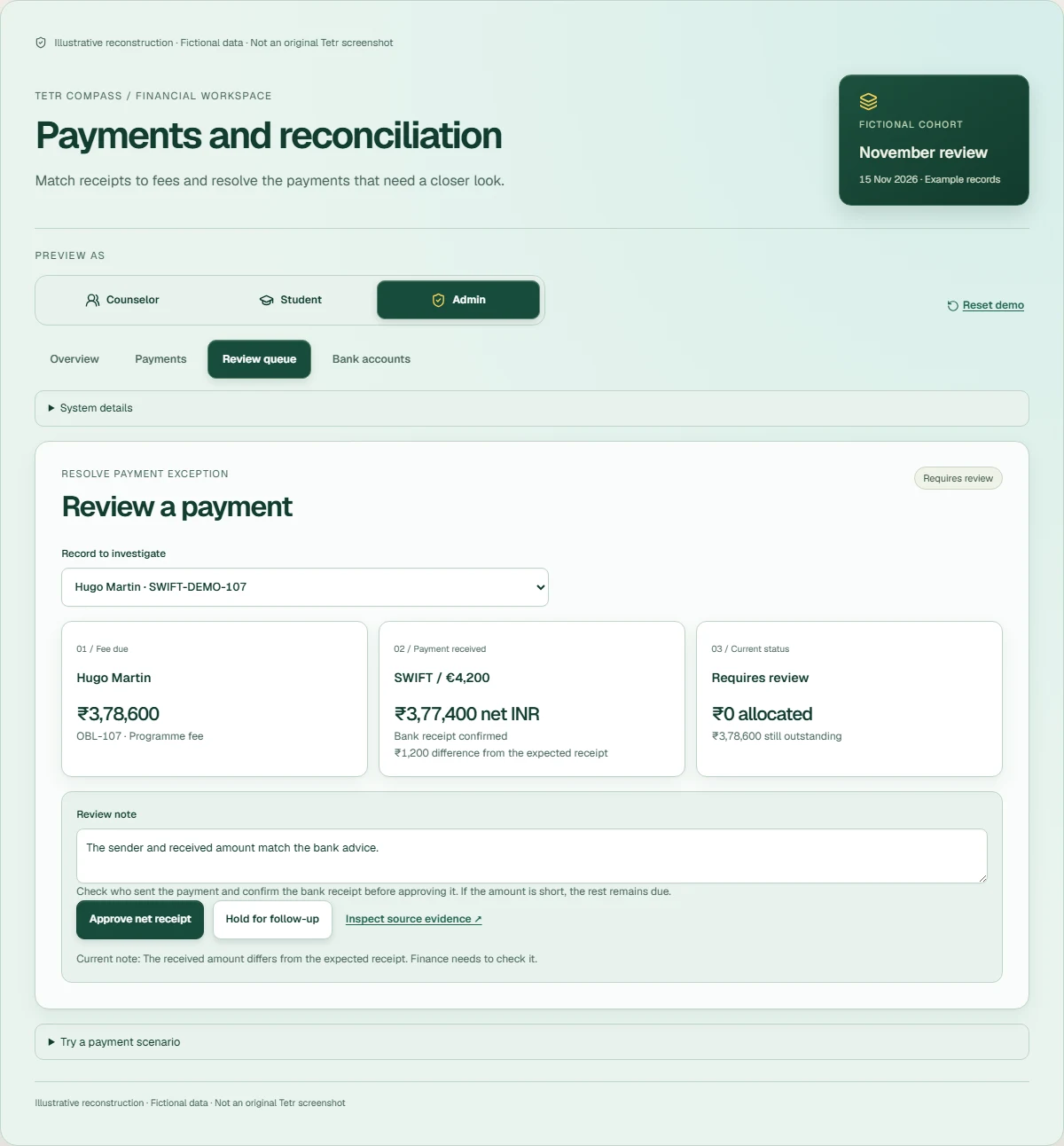
Explore the three views and payment details Screens from the working demo ↗
These are browser captures of the working interface above, taken with fixed fictional data. Each image contains its permanent reconstruction label. Open an image to inspect the full-size detail.
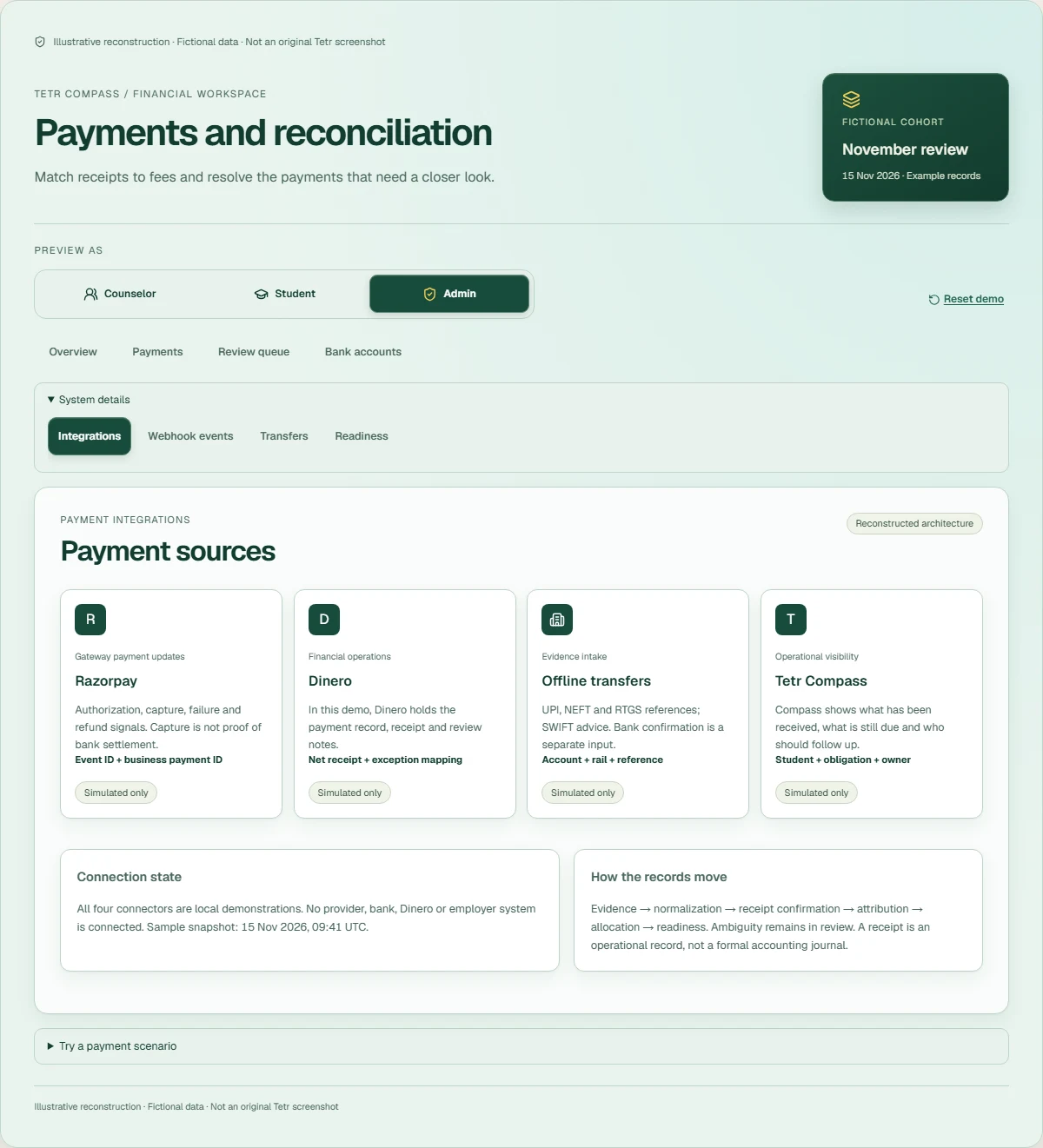
How the payment integration works
Technical reconstruction and production design considerations. The lab shows state transitions, normalization, identifiers, matching, partial receipts, FX review, audit history and replay. It uses browser memory and has no payment or banking connection.
Which record owns each status
The production version would treat the provider as authoritative for gateway payment state, bank or Finance evidence as authoritative for receipt confirmation, and an internal obligation record as authoritative for the expected fee. A webhook is a snapshot of a payment event, not proof that funds have settled. External payment/event/refund IDs map to stable internal payment, student and obligation identifiers.
Checking webhook signatures
A real receiver would verify the raw request bytes against the configured webhook secret using HMAC-SHA256, reject altered payloads and store accepted events durably before acknowledging delivery. Signature validation belongs on the server. The browser demonstration does not accept or authenticate production webhooks. See Razorpay’s validation guidance.
Handling repeated and out-of-order events
Event-level deduplication rejects repeated delivery; business-level idempotency prevents separate payment.captured and order.paid events from creating two receipts. A late authorization cannot undo a capture. Refund IDs protect each reversal independently, while the original receipt stays traceable. Conflicting reused identifiers are rejected and logged.
Keeping amounts and currencies separate
Amounts use integer minor units. Original foreign currency is retained beside an explicit INR settlement and comparison basis; currencies are never added together. Multiple confirmed payments can satisfy one obligation. Allocation is capped at its balance, unidentified cash stays unmatched, and partial payments leave an exact outstanding amount. The FX example holds the difference for a reviewer rather than inventing an exchange-rate guarantee.
Review notes and approvals
Review requires bank confirmation, an identified obligation and a useful note. Holding a record removes its allocation; approving a short receipt still leaves the shortfall due. The audit trace explains the event, normalization, internal receipt, reconciliation and Compass financial signal. This internal tracking is not a formal double-entry general ledger.
Retries, recovery and monitoring
A production extension would use a durable inbox, atomic uniqueness constraints, asynchronous processing, bounded retries, failure alerts and a recovery queue. Reconciliation against provider and bank records would catch missing notifications. Monitoring should distinguish delivery failures, processing failures and unallocated money. Razorpay documents asynchronous delivery, duplicates and retry behavior in its webhook best practices. Those production services are explained here, not operated by this demo.
Deterministic tests exercise invalid events, duplicate identifiers, late events, partial allocation, bank references, FX preservation, unknown payers, review requirements, refunds and reset. Browser checks cover controls, keyboard/dialog behavior, reflow and motion preferences.
What I would change for enterprise-scale payroll integrations
Proposed future architecture, not past Tetr work. Student fee reconciliation and employee payroll have different obligations, permissions and accounting requirements.
Payroll runs and accounting entries
I would introduce employee payroll runs and approved journal-entry batches, with versioned chart-of-accounts mapping, cost-centre allocation and balancing rules. Every batch would need explicit validation and an accountable approver before posting. Employee salary calculations, tax withholding and payroll compliance are not demonstrated here.
ERP posting and recovery
ERP synchronization would need stable posting IDs, restricted posting permissions, error classification, retry/recovery queues and a way to distinguish “accepted” from “posted.” A timeout must not cause a duplicate journal. Reversals and corrections should retain the original batch and link to the adjustment.
Checks needed for financial close
Account balancing, period controls, reconciliation reports and unresolved-posting review would support financial close. I would prioritize mapping validation and safe recovery before convenience automation. These are transferable design lessons, not claims of a live ERP, employee payroll system or accounting GL implementation at Tetr.
Results & learning
What I can show.
I have described the work I did and built a demo to explain it. I do not have verified figures for time saved, transaction volume or revenue impact, so I have left those out.
The examples show the checks I want a payment workflow to support: confirm the receipt, find the right student, keep the balance accurate and leave a useful note for the next person.
Limits & next priority
What I would check next.
I haven't verified the original data flow, bank accounts or production controls for this case. The diagram is a reconstruction. The demo uses no employer data, private transactions or confidential code.
Before taking this further, I would agree with Finance and the integration owner which records to trust for each payment status, then test missing updates, retries and exceptions. Payroll and ERP changes would be separate projects.
Watch the two local walkthroughs Student tasks & staff review
Two independent walkthroughs
Text walkthrough
- In the student walkthrough, the student opens My tasks and one task form.
- In the counsellor walkthrough, the counsellor opens the overview, visits the review queue, then opens a separate sample student record.